Apple Notes is now a destination
TL;DR
| What changed | What it means |
|---|---|
| Apple Notes destination | Meeting notes land in Apple Notes, in the folder and account you pick. |
| Quick notes in Apple Notes | Each capture appends to a per-day note, or to one fixed note you name. |
| Destination choice | The walkthrough starts with it, and you can switch later in General with your vault untouched. |
| Click to open in Notes | Click the completion notification or the Recordings tab entry and the note opens in Notes. |
| Queued delivery when Oris is closed | A recording that finishes with Oris closed is saved and delivered when you open Oris. |
For a lot of Mac users, Apple Notes already is the notes app. It’s on every device, it opens instantly, and it requires no plugins, no folder architecture, no maintenance. If that describes you, “your meetings land in your Obsidian vault” has always meant “first, install Obsidian and set up a vault.”
Starting today, Oris delivers straight to Apple Notes.
Pick a folder, grant one permission
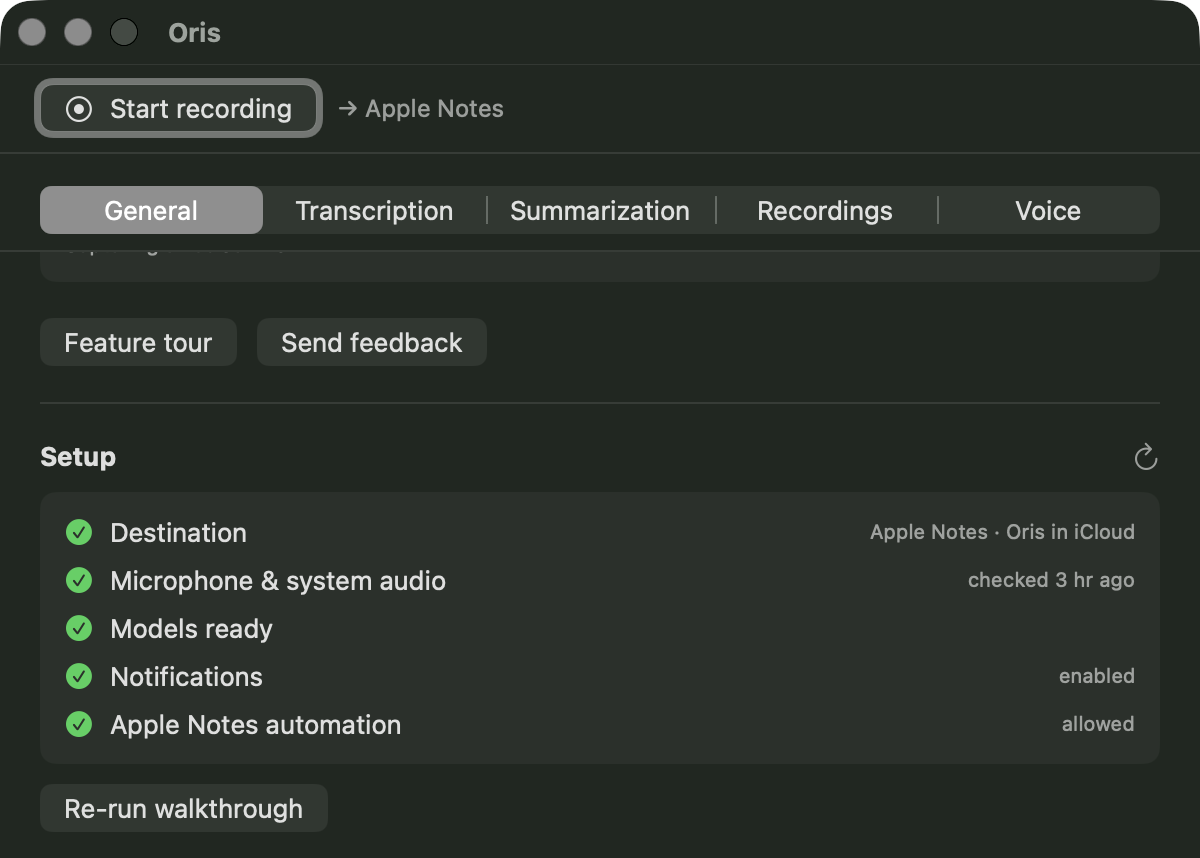
Setup lives in the guided first-run walkthrough, or (if you’re already running Oris) in General, where you can switch your destination at any time. Pick Apple Notes, choose your iCloud or local account, choose a folder. Then Oris needs one macOS Automation permission to deliver notes on your behalf.
Most apps ask for that permission the moment they need it, mid-flow, with no context. Oris asks differently. An explainer screen comes first, naming Oris and describing exactly what the permission does. The system dialog follows. Grant it once; you won’t see it again.
After that, General shows a status row for the Apple Notes connection and your destination is set.
Meetings become Notes notes
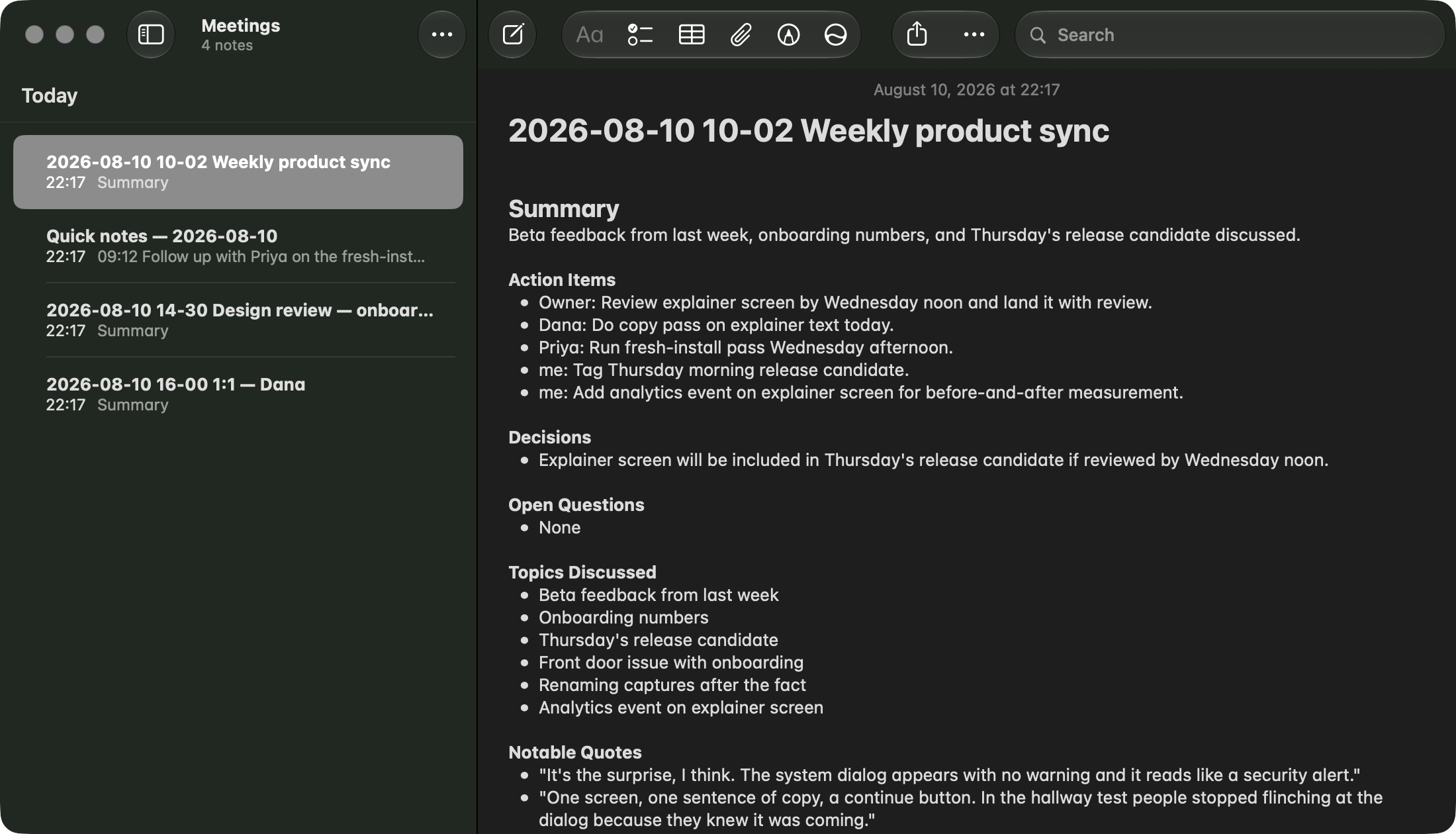
When you stop a recording, Oris transcribes it on your Mac using WhisperKit on the Apple Neural Engine. Fully local, no upload. The transcript then goes into a summarization step, which also runs locally by default. Then Oris opens Notes in the background, creates a new note titled with the meeting’s date and time, and writes the result in.
The completion notification names the note; click it and you’re looking at that note in Notes. The Recordings tab has the same one-click open next to each recording. Either way, one click and Notes is already there.
On privacy: Oris never sends your audio anywhere. Transcription happens on this Mac. If you use the local summarization model (the default), the transcript stays here too. When your Notes account syncs via iCloud, those notes sync through your own iCloud account, the same as anything else you write in Notes.
Quick notes append by the day
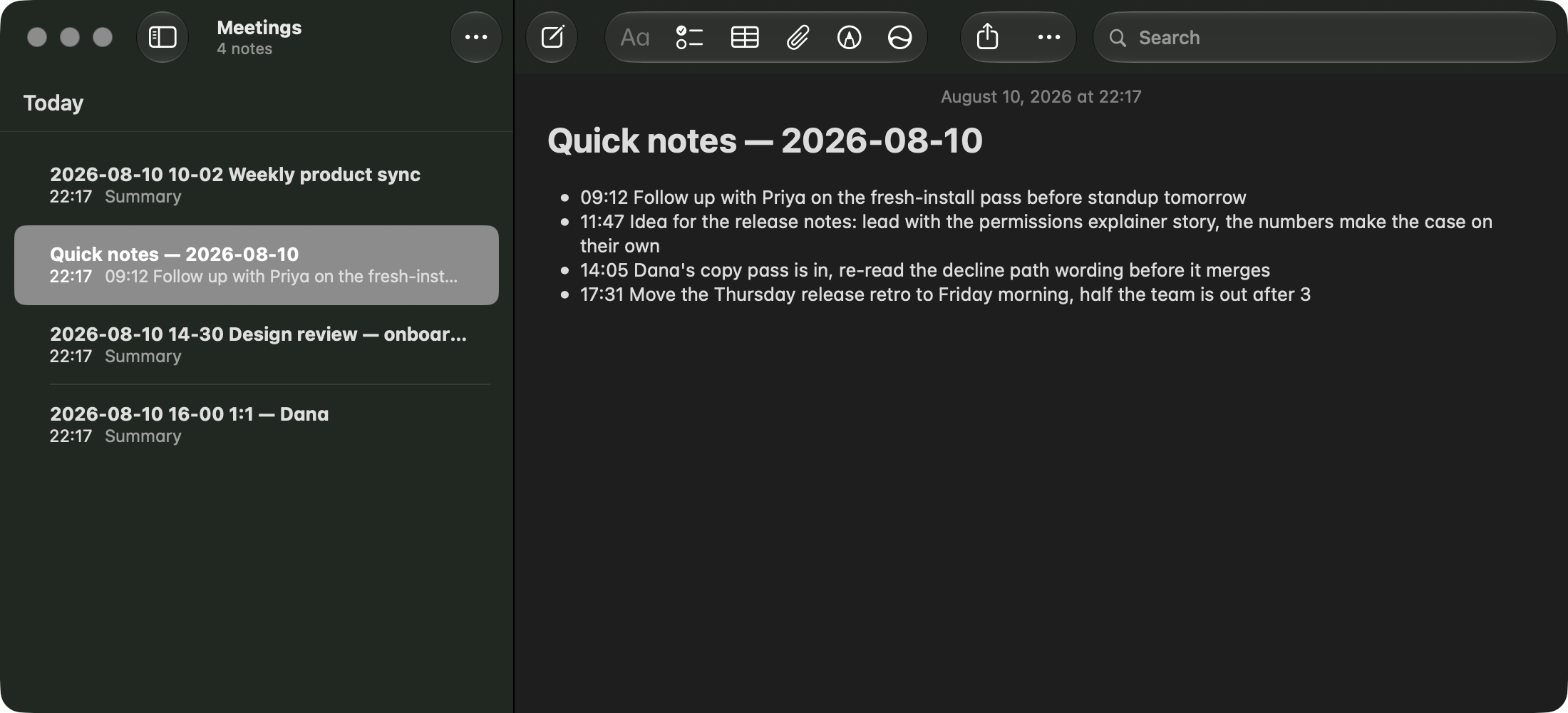
The global hotkey (⌃⇧Space by default) captures a short spoken note from any app. With an Apple Notes destination, each capture appends into a per-day note (Quick notes — 2026-08-11, say), stamped with the time it was spoken. The day’s note is created when the first capture of that day arrives; after that, each capture appends into it.
If you’d rather collect captures in one fixed note instead of a daily one, switch “Quick notes go to” to One note in settings and give the note a name. Either way, Oris creates and owns those notes. It never writes into a note you’ve made separately.
A queued delivery, not a missed one
Apple Notes delivery runs inside the Oris app. So if Oris is closed when a recording finishes, the transcript is saved durably to disk and queued. Opening Oris finishes the delivery. A locally stored receipt deduplicates it, so retrying a stuck delivery gives one copy, not two.
The Recordings tab shows an “Awaiting delivery” section whenever something is queued, with what it is and where it was going. When nothing is queued, the section isn’t there.
Offline is the baseline
Once Oris has downloaded its transcription and summarization models, recording, transcription, and the default local summarization all run without a network connection. A flight, a captive-portal café, or a dropped connection mid-call produces the same note as a meeting at your desk on a fast line. (If you’ve pointed summaries at a cloud provider, that one step does need the network — and if it can’t be reached, the transcript still lands.) The only other step that needs the network is downloading a model that isn’t already cached; Oris labels that “downloading model” so the state is clear.
Get it
Download Oris and run through the walkthrough; choosing a destination is the very first step, and Apple Notes is one of the choices. If you’re already set up with a vault, go to General and switch destinations there. Your vault and its notes are untouched; you’re just changing where new recordings land.
The Apple Notes destination handbook covers permission recovery, folder changes, what “Awaiting delivery” means, and how quick note destination options work.