Recordings history
TL;DR
| What changed | What it means |
|---|---|
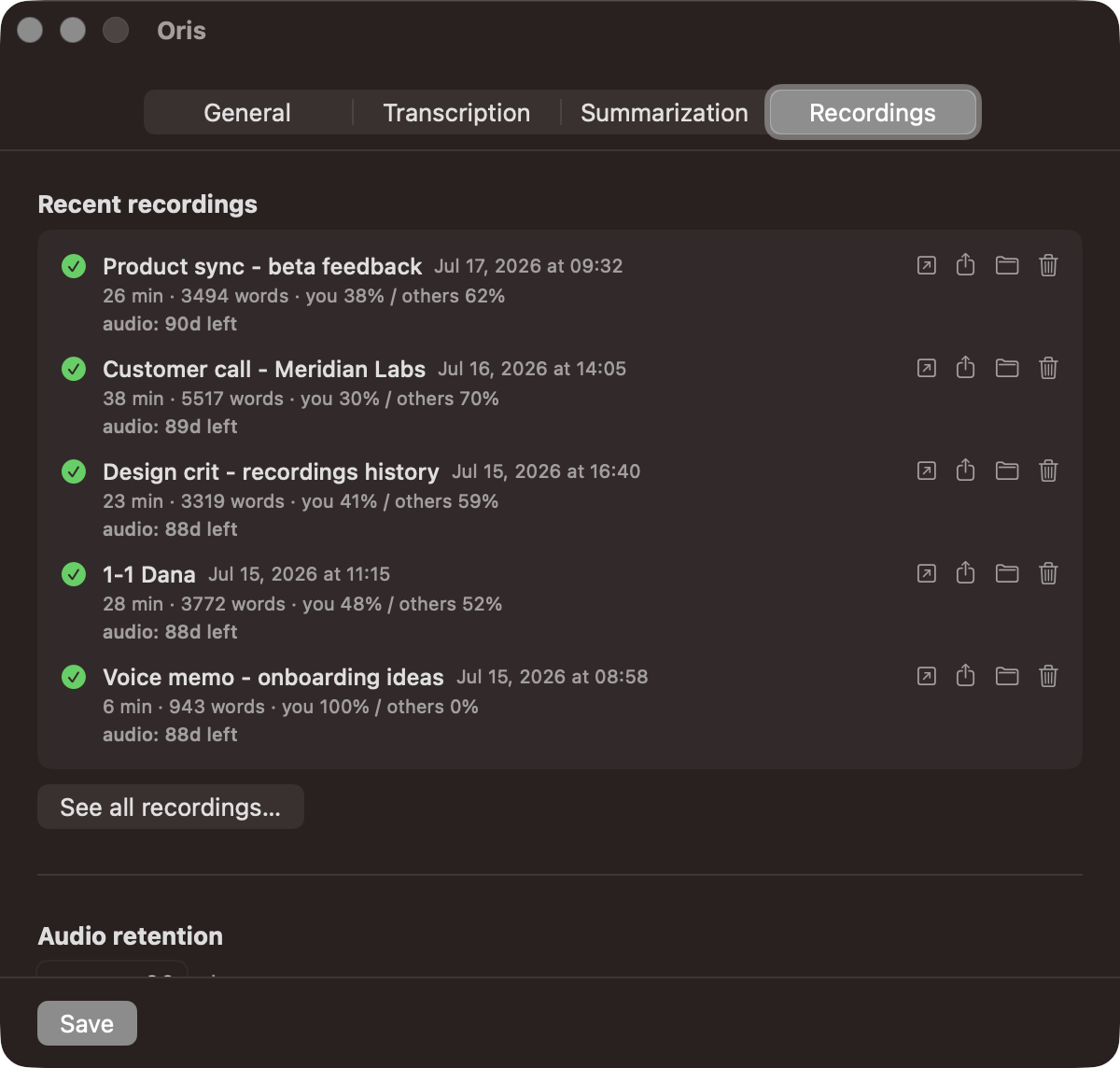
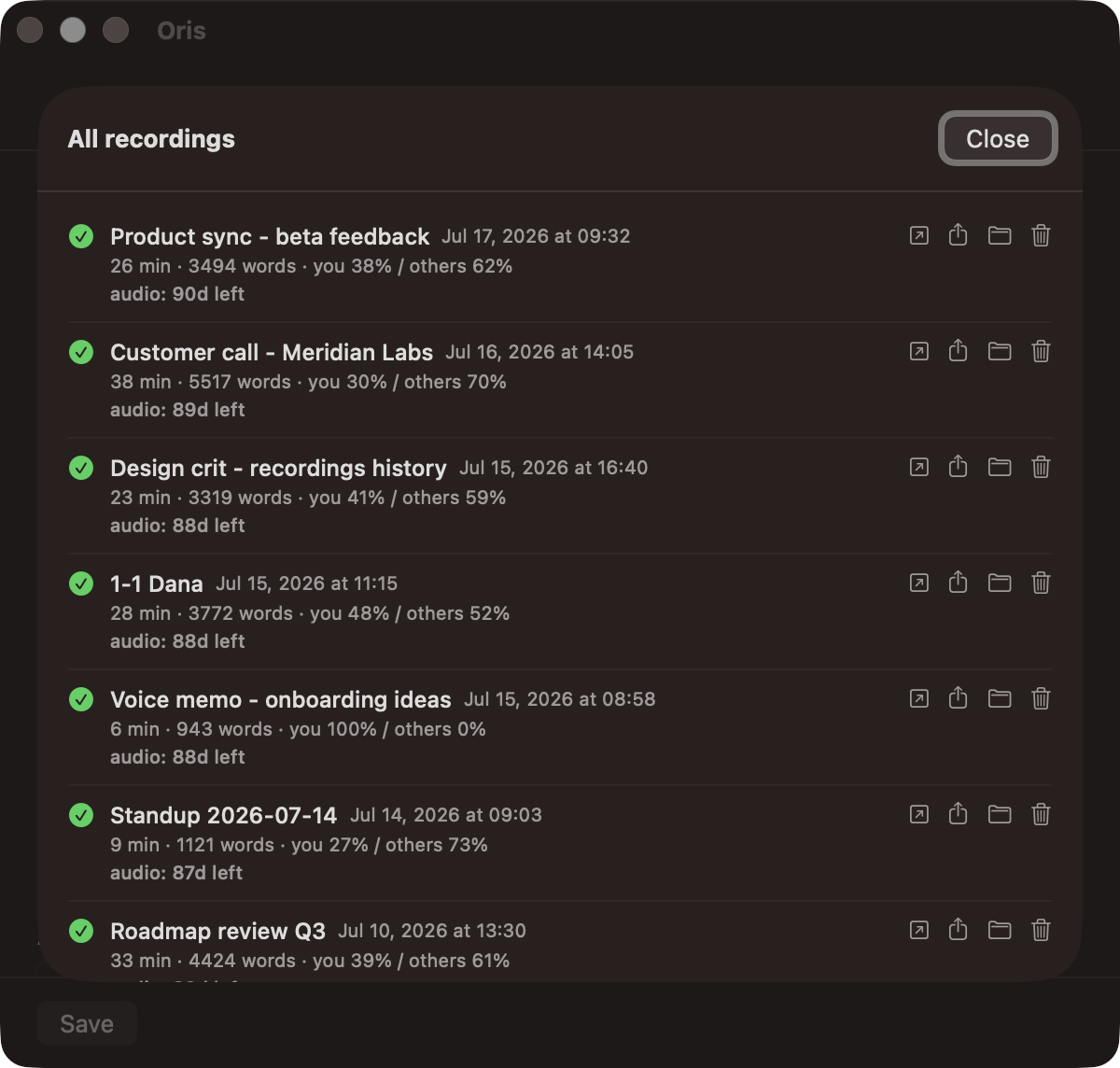
| Full recordings history | The tab shows your last five, and See all recordings lists every recording and import, failures included. |
| Per-recording stats line | Each row shows duration, word count, and your share of the talking. |
| Summary retry button | One click reruns a failed summary, and the warning becomes a check when it lands. |
| Open, share, and reveal actions | Open the note in Obsidian, share it, or reveal the audio in Finder. |
| Stats in the completion notification | The “notes inserted” notification ends with the recording’s duration, word count and talk share. |
| Delete audio early | Delete removes a recording’s audio before retention does, after a confirmation, and the note stays. |
Until now, Oris treated a finished recording as finished. The note landed, a notification fired, and the app promptly forgot the whole thing ever happened. If you wanted to know what you captured last Tuesday, whether that failed summary ever got fixed, or which meeting a stray audio file in your vault belonged to, you were reconstructing the story from your notes.
This build gives the app a memory.
The Recordings tab
The Recordings tab now opens with your last five recordings, and a “See all recordings…” button opens the full history: every recording and every import, newest first, including the runs that didn’t go cleanly. Each row tells you the note it landed in, when it happened, whether the run and its summary succeeded, and a small stats line in the style of 12 min · 1,840 words · you 38% / others 62% (the same talk split the Your Oris card shows in aggregate, here per recording). The list updates live: stop a recording and its row appears at the top while the window is open.
Do something about it
A history you can only look at is a museum, so every row carries actions. Open the note in Obsidian, share it through the macOS share sheet, or reveal the audio in Finder. If a summary failed, a Retry button runs the same retry loop the CLI and the Obsidian plugin use: one click, one recording, and the warning heals to a check when the new summary lands in your note. Each row also shows how long its audio has left before retention cleanup takes it, and a delete action lets you remove the audio early if you’d rather not wait, after a confirmation that spells out exactly what goes. The note always stays put.
Stats in the notification
The “notes inserted” notification got the same upgrade: it now ends with that recording’s stats line, so the moment a meeting lands you already know how long it ran, how many words it produced, and how much of the talking was you.
All of it is computed on your Mac from the same local ledger behind the stats card, and the ledger never leaves your Mac. The history starts from this release: older recordings show their stats, but Oris won’t pretend to know where they landed. From here it simply fills in as you record.