Settings & data
Oris Pro Pro
updated
The tier the paid features live in, free while Oris is in beta: signing up takes an email and one click — no card, no payment.
Oris Pro is where the paid features live. Today that means note templates, structured notes, dictation and meeting detection. Dictation types what you say into whatever app you were using; meeting detection notices a call has started and offers to record it. Everything else — recording, transcription, summaries, quick notes, every destination — is the free product and needs no signup at all. Pro is free in beta: signing up takes an email — no card, no payment.
Turning it on
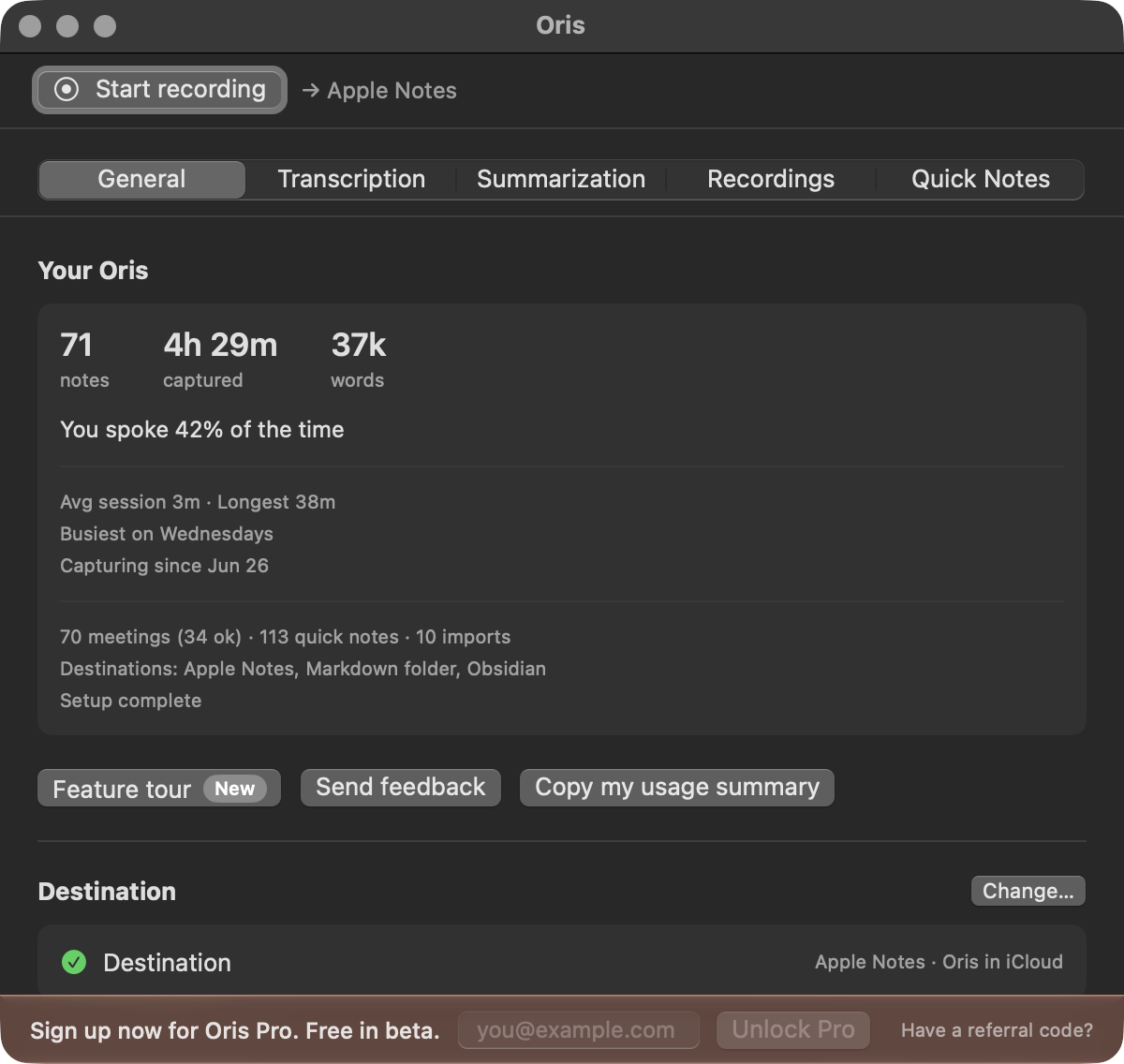
A banner along the bottom of the Oris window reads “Sign up now for Oris Pro. Free in beta.” with an email field beside it. Type your address and click Unlock Pro. The line becomes “Check your email. One click turns Pro on.”, and that is the whole flow: the email that arrives has a single Confirm and turn on Pro button, and clicking it confirms the address and switches Pro on in Oris in the same motion.
If nothing arrives, the quiet Send it again link resends it. The email field stays put after you submit, because editing the address is the recovery: a typo is fixed by correcting it and clicking Unlock Pro again. Nothing in the flow asks you to keep anything — no license file, no code to paste.
On a new Mac
The same two steps. Type your email in Oris and click the fresh confirmation that arrives. Oris issues the same license to the same address every time, so there is nothing to carry over and nothing that can be lost with an old machine.
The Pro chip
Once Pro is on, the banner goes away and a small Pro chip sits in the window’s title bar, next to the title. That is the entire status display: no banner, no status sentences. Before then, the features that need Pro say so where they live — a locked group reads “Unlock Oris Pro below. Free in beta.” and points you at the banner.

Lifetime licenses
A lifetime license adds a small Lifetime badge beside the Pro chip in the title bar. Nothing else changes: it is the same Pro, on the same terms, just labeled for what it is. (The settings sections carry no license line at all — a Pro badge beside each Pro setting, with a lock while it is locked, is the whole signal.)
Referral codes
Have a referral code? at the banner’s right edge reveals a code field next to the email field. If someone sent you to Oris with their code, enter it with your signup and their referral is counted. The ✕ inside the field backs it out again; a code is never required.
Your own link works the same way in the other direction. It lives in the Pro section of the Oris window: next to Referral link, click Copy link and your personal link goes to the clipboard, ready to paste anywhere. The button reads Link copied for a moment to confirm it. If your license came before referral links existed, including a lifetime license, the first time you click it Oris asks for the email address you use for Oris. Type it and click Get Link: Oris checks the address against your license, adds your link to it and copies the link, shows Referral link copied, and emails nothing. From then on Copy link copies straight away. If the address isn’t the one your license belongs to, the sheet says “That address doesn’t match this licence” and your license stays exactly as it was.
The Pro section
Once you have a license, a Pro section joins the rail on the left of the Oris window. It shows your plan, such as Free during the beta or Lifetime, and your referral link.
How Oris checks your license
When Oris starts, and once a day while it’s running, it sends the license it already has to the Oris license service and gets a current copy back. Oris sends your license and your app version, never audio, recordings, notes or your email address. If you haven’t signed up for Pro, there’s no license, and Oris never makes the call.
The check is how a change to your license reaches your Mac without you doing anything. Cancelling a subscription ends Pro when the period you paid for ends. During the beta, the check just confirms the license you already have.
If the service can’t be reached, because you’re offline or it’s down, nothing changes and Oris doesn’t show a message. It tries again an hour later, then four hours later, then goes back to once a day. A paid subscription keeps working for 30 days past its paid period, and a lifetime license keeps working. Recording, transcription and your notes never wait on the check.
Free for now
Signing up takes an email — no card, no payment. Pro is free for now. When pricing starts, you get three months on us. And nothing you make with Pro is taken away if Pro ever lapses: your templates are kept rather than deleted, and notes go back to the standard summary, which is the product free has always had. See what free always keeps.